-
Justin
Didn't feel like my last doctor's appointments. My provider felt genuinely compassionate about helping me manage my life obstacles with my ADHD. Was skeptical at first but so glad I made the decision. Super affordable for the quality of care.
-
Ben
My first interaction with my provider was a positive experience. He listened to my story and we had many things in common. I love having a provider that is also diagnosed with ADHD. This way we can treat my condition properly on a common ground approach. Thank you for being there for me!
-
Immanuel
Fast and clear appointment and scheduling process. Knowledgeable providers. Responsive support staff.
-
Deanna
I am very happy with my treatment and my provider has been really great and helpful. I came to Circle from Done, and Circle is far better at patient follow-up and working with me so that I can manage my ADHD in the best way possible. Also, I am very happy with the communication with Circle Medical.
-
Nathen
I find the staff and doctors to be very friendly and helpful. Going with Circle Medical has made treatment for ADHD so much easier for me!
-
Darryl
My provider heard me out and helped me with my ADHD. I really appreciate how smooth it all was. Y'all are great!
-
Natalya
As a person with ADHD, going to the doctor in person can be really difficult. I used to put off making appointments because it felt like too many steps and I'd go without seeing a doctor for a few years at a time. Circle Medical allows me to access quality care from home and I never miss my appointments thanks to this convenience.
-
Simone
ADHD assessment was tailored to adult women. The expert gave nuanced additions and clarification to questions or statements. I feel much better equipped to handle life and am making progress in ways that seemed impossible before.
-
Leland
The scheduling experience is really easy. The provider I chose was on time and she was great. She listened well and I didn't feel rushed or judged. Even though the journey to ask ADHD diagnosis has been a bit scary and anxiety inducing, I left the appointment feeling pretty good about everything.
-
Van
I'm very likely to recommend Circle Medical because of the progress that I have made. My provider has made it possible for me to accept and understand my ADHD with the upmost positivity and total honesty. I have never been able to love and accept myself till now.
-
Zander
Finding a good and reliable remote healthcare provider to diagnose and treat ADHD is extremely difficult. Circle Medical has made this process easy for me and I am thankful I chose Circle Medical.
-
Reginald
It has been a good experience for me. If I have any friends or family members who are looking for ADHD help, I will recommend Circle Medical.
-
Sharon
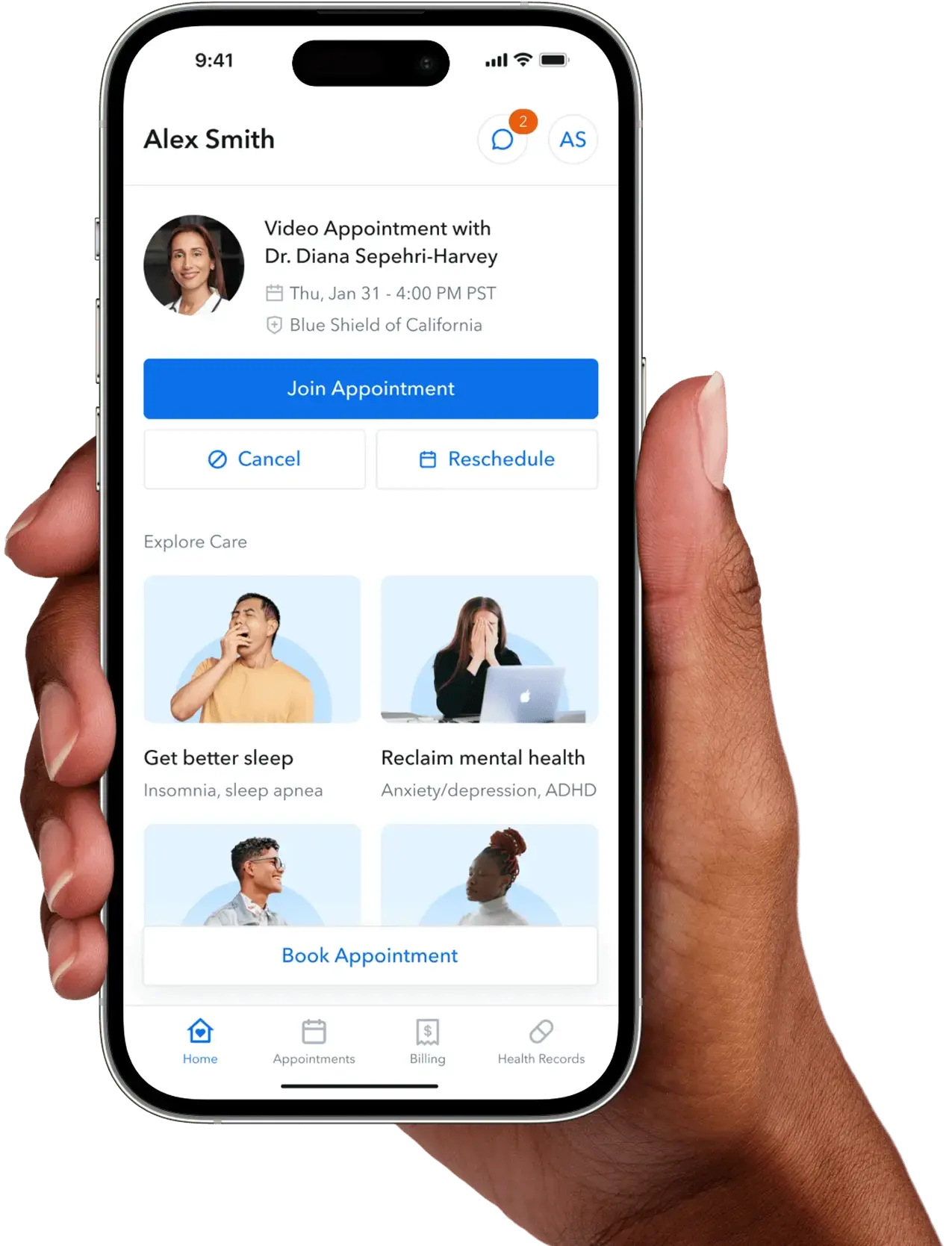
They are quick, professional, and responsive by app. They also take my insurance — what more can I ask for?
-
Madalynn
This system, the efficiency, and care behind it is the best that I have come across. I have been uncomfortable addressing issues like ADD and ADHD as an adult, so I put this off for years. My provider has already helped in 2 sessions and I started my prescription within days. I have to say, I am already feeling better simply taking the initial steps. A big thanks to this team!
-
Cloe
So fast and flexible getting an appointment. As someone with ADHD and anxiety looking for a doctor is a daunting task and keeps you from getting the care you need. They also actually listen to you and what's bothering you, working with you to come up with the best course of action.
-
June
My provider has been so kind, validating, and understanding. She's helped me understand my ADHD and treat it.
-
Alexis
I could not believe that I got an appointment for ADHD within hours. I had a terrible time trying to get an appointment with the group my insurance recommended. The health practitioner is knowledgeable and kind, and I feel like I'm getting both good physical and psychological support.
-
Giada
Joining Circle Medical has saved my life. I was so lost and didn't know why or what was wrong with me. I took a chance and downloaded the app, and had an appointment in the comfort of my own home within a week. I'm now getting the help I always needed and it has been a game changer.
-
Kyle
I have already recommended it to many people. I'm a college student and my university health center has several barriers that make it almost impossible for anyone to afford the services required to get ADHD treatment through them, even with insurance. Circle Medical is convenient and being an app with reminders that I can call from anywhere makes it helpful to remember and make appointments.
-
Emerson
I've already recommended it to someone else frustrated by their doctor not taking their ADHD symptoms seriously, which is so often the case.
-
Yvonne
This service is a godsend. I am a single mom of 2 beautiful boys under the age of 5, at home full time as well as working full time. Having the ability to see my provider on a schedule that works for me and takes my insurance is awesome! Thank you guys for all your guidance and support on my journey through life!
-
Braeden
Locally, I've been on a waiting list for seeking an ADHD diagnosis for several months. But then I found this app, and within a few days, it's done! I finally have that peace of mind and can move forward with a treatment plan. Thank you.
-
Abdiel
Helped me get my ADHD medication renewed when I couldn't find an in-person provider after moving across the country. My provider is amazing and has listened to me, and followed through with my requests beautifully, making sure I'm educated and know what to expect each time I do make a decision/request.
-
Jasper
It is a very well organized system, efficient and easy. My provider has specific ADHD training and you let us know how your ADHD program rolls (up front). No one likes surprises. My provider was kind and helpful and I got a follow up on our discussion and what I can do to empower myself NOW. Thanks Circle.
-
Shyla
Circle Medical helped me get diagnosed for ADHD. It absolutely changed my life for the better. I've already recommended it to multiple people. Access to affordable care like this is amazing and I want everyone to benefit from it.
-
Matthew
My provider is great. To be honest, for me it started out with wanting to privately get my ADD addressed. But now it is so much more. She seems genuinely concerned about my health and asks questions that help me address and focus on issues as needed. Highly recommend.
-
Camryn
My provider is very professional and knowledgeable about ADHD. She also asks for and listens to my opinions about my treatment. The available hours are convenient. I don't have to take any time off from work.
-
Adalyn
I have ADHD and this format of meeting with providers is very ADHD friendly. It makes it easy to make appointments and the reminds and app are helpful.
-
Jewel
Because I felt very heard and wasn't embarrassed or shamed for needing to look into ADD medication in my 30s.
-
Edwin
As someone who has ADHD, simply setting up an account on the site was so easy. You can tell that this was made with neurodivergent people in mind. Things are just SIMPLE.
-
Eliza
I finally found a provider who cares about me as a patient. She took time to go over my medical history and went to great lengths to go over how ADHD has affected me and we came up with goals that I want to achieve under her care. Medication isn't the only avenue for someone living with ADHD.
-
Katherine
Love the convenience of the video consultations for refills on my ADHD medication!!! This is wonderful!!! Also love my health practitioner— he is fantastic!!! A++++++
-
Uriah
My practitioner was extremely friendly and empathetic, and an expert at ADHD and ADD so he knew exactly how to help me and with questions to ask.
-
Eric
It is so difficult to access mental health care services right now especially for ADHD, so far I have received immediate and responsive care that has already improved my quality of life, thank you.
- 3,367 more reviews available upon request